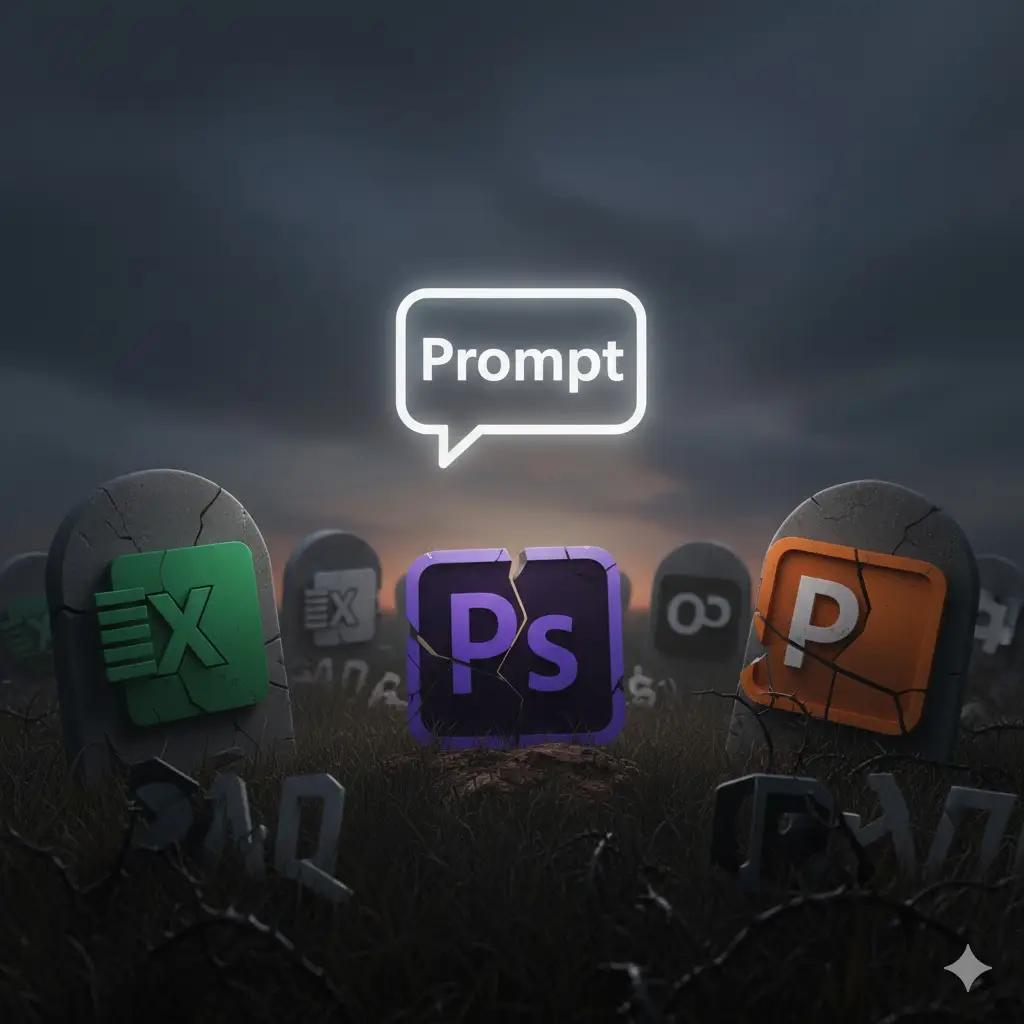
For 40 years, we’ve accepted a devil’s bargain: to use software, first you must learn software. We’ve built entire industries around this acceptance: training courses, certification programs, YouTube tutorials, keyboard shortcuts, muscle memory. We’ve convinced ourselves that memorizing Ctrl+Shift+Alt+E is normal. That knowing the difference between ‘Save’ and ‘Save As’ is basic literacy. That spending weeks learning a new interface is just the price of admission.
But what happens when you can just say what you want?
The answer: a $500 billion software industry built on the premise that humans should adapt to computers, rather than the reverse, has to rethink everything.
The GUI’s Hidden Tax: 40 Years of Stockholm Syndrome
To understand the magnitude of what’s happening, we need to first acknowledge an uncomfortable truth: we’ve been paying a tax we didn’t even know existed.
The Learning Tax Consider what we accept as normal. To create a simple chart in Excel, you must know:
- Where the chart menu lives
- What chart type matches your data
- How to select data ranges
- How to format axes
- How to adjust colors
- How to add labels
- Where to find advanced options
That’s seven distinct pieces of interface knowledge before you can visualize “sales by quarter.” We’ve internalized this complexity so deeply that we call it “computer literacy.”
But it’s not literacy. It’s Stockholm syndrome.

The Cognitive Load Compound
The tax compounds across every application. Adobe Creative Suite has over 700 tools across its applications. Microsoft Office has over 1,500 distinct commands. A professional knowledge worker must maintain mental models for dozens of applications, each with its own logic, shortcuts, and quirks.
We pretend this is normal. We put “Proficient in Excel” on resumes like it’s an achievement rather than an admission that we’ve memorized an arbitrary interface to do basic math. We celebrate “power users” who’ve spent hundreds of hours learning workarounds for poor design.
The average knowledge worker spends 21% of their time just navigating software interfaces. That’s one full day per week lost to the GUI tax. Over a career, that’s 5 entire years spent clicking through menus.
The Innovation Inhibition
But the real cost isn’t time—it’s imagination. When every idea must be filtered through the constraints of an interface, we stop having ideas that don’t fit those constraints. We don’t think “what if?” We think “how do I?”
This is why most PowerPoints look the same. Why most Excel analyses follow similar patterns. Why most designs feel familiar. It’s not lack of creativity—it’s interface imprisonment. We can only create what we know how to click.
The Demonstration Economy: Show, Don’t Menu
The collapse begins with a simple shift: from commanding to communicating. But understanding this shift requires seeing how we’ve been trained to think backwards.
The Command Paradigm Traditional interfaces work through commands. You must:
- Know what command exists
- Know where to find it
- Know how to invoke it
- Know what parameters it needs
- Execute in the right sequence
This is why “tutorials” exist. Someone must map the gulf between human intent (“make this look good”) and computer commands (adjust kerning to -20, leading to 1.4, add 15% transparency, apply subtle drop shadow with 3px blur and 40% opacity).
The Demonstration Paradigm
AI collapses this entire chain. Instead of translating intent into commands, you just express intent. Instead of knowing tools, you show outcomes. The revolutionary insight: AI doesn’t need commands because it can infer intent from context.
Watch how this plays out:
Traditional: “I need to remove the background from this image”
- Open Photoshop → Find Select menu → Choose Subject → Refine Edge → Adjust parameters → Delete background → Save as PNG
AI-Native: “Remove the background”
- Done
But the real power isn’t in simple tasks—it’s in complex, subjective ones:
Traditional: “Make this presentation more professional”
- Subjectively evaluate current state → Research design principles → Find appropriate templates → Manually adjust fonts → Reorganize layouts → Update color schemes → Ensure consistency → Hours of work
AI-Native: “Make this look like McKinsey designed it”
- AI understands the aesthetic → Applies consistent principles → Done
The New Interaction Primitives
We’re not just replacing menus with chat. We’re witnessing the emergence of entirely new ways humans and computers interact:
Demonstration Through Examples
“Make my chart look like this one” [shows image]
AI extracts style, principles, and patterns, then applies them. No need to articulate what makes something look good—just show good examples.
Iterative Refinement Through Critique
“More professional” → “Less corporate” → “Perfect.”
Each iteration builds on the last. The AI maintains context, understanding that “professional” in this context means something specific based on previous refinements.
Outcome-Based Specification
“Create a dashboard that helps me spot inventory problems.”
The AI determines what metrics matter, what visualizations work, and how to arrange them. The user specifies goals, not implementations.
Contextual Understanding
“Fix this” [points at screen]
Multimodal AI sees what you see, understands the problem from context, and acts. No need to describe the issue or know the technical term.
Category Killers in Waiting
Every software category built on interface complexity faces existential threat. But some will fall first:
Design Software: The Great Democratization
The Old World: Photoshop has 70+ tools. Illustrator has different tools. InDesign has yet more. Mastery takes years. A designer’s value often comes from knowing which obscure feature achieves a specific effect.
The New World: “Make this logo feel more premium but keep it playful”
When AI can understand and execute design intent, what happens to the design tool industry? Adobe’s moat isn’t their rendering engine—it’s the sunk cost of millions of users who’ve learned their interfaces. When that knowledge becomes worthless overnight, why pay $50/month for complexity?
The implications cascade:
- Design agencies can’t charge premiums for tool mastery
- Junior designers skip straight to art direction
- Brand consistency becomes trivial to maintain
- Design systems self-enforce through AI understanding
This doesn’t eliminate designers—it eliminates design technicians. The value shifts from executing designs to having taste. From knowing how to achieving effects to knowing what effects to achieve.
Data Analysis: SQL’s Death Sentence
The Old World:
SELECT
    DATE_TRUNC('month', order_date) as month,
    SUM(revenue) as total_revenue,
    LAG(SUM(revenue)) OVER (ORDER BY DATE_TRUNC('month', order_date)) as prev_month
FROM orders
GROUP BY 1
HAVING SUM(revenue) < LAG(SUM(revenue)) OVER (ORDER BY DATE_TRUNC('month', order_date)) * 0.9
```
The New World: “Show me months where revenue dropped more than 10%”
But the real revolution isn’t in simple queries. It’s in exploratory analysis:
Traditional: Analyst must hypothesize what to look for → Write query → Interpret results → Form new hypothesis → Repeat
AI-Native: “Find anything unusual in our sales patterns” AI examines data from multiple angles simultaneously, identifies statistical anomalies, correlates with external factors, and presents insights ranked by business impact.
The Deeper Disruption: When anyone can query data conversationally, what happens to the BI tool industry? Tableau, Looker, PowerBI—all built on the assumption that visualizing data requires technical skill. Their hundreds of features, certification programs, and specialized consultants become obsolete overnight.
Video Editing: The Timeline’s Last Stand
The Old World: Premiere Pro’s timeline interface hasn’t fundamentally changed since 1991. Editors spend years developing muscle memory for JKL shuttling, frame-accurate cuts, and keyframe manipulation.
The New World:
- “Cut this interview to 3 minutes, keep the energy high”
- “Add motion that matches the beat”
- “Make this feel like a Wes Anderson film”
The AI doesn’t just cut—it understands pacing, rhythm, emotional arcs. It knows that “energy” means shorter cuts, upbeat music, and dynamic transitions. It knows Wes Anderson means symmetrical framing, pastel colors, and whip pans.
The Cascade Effect:
- YouTube creators skip straight to storytelling
- Corporate video production democratizes
- Film schools pivot from teaching tools to teaching taste
- Post-production houses can’t charge for technical execution
The Pattern Across Categories
Every category follows the same disruption pattern:
- Complexity as a Moat: Established software accumulates features, creating barrier to entry
- Expertise Economy: Professionals build careers on mastering complexity
- Natural Language Breakthrough: AI enables intent-based interaction
- Rapid Commoditization: Technical skill value collapses
- Value Migration: Worth shifts from execution to judgment
The New Software Stack: Architecture for the Post-GUI Era
Understanding the revolution requires seeing how fundamentally the software stack must change. The revolutionary insight: the new stack doesn’t just add AI—it inverts the entire relationship. Instead of users adapting to software logic, software adapts to user intent.
Traditional Stack:
UI Layer: Menus, buttons, forms
Logic Layer: Business rules, workflows
Data Layer: Storage, retrieval
This architecture assumes humans will translate intent into interface actions. Every layer is optimized for explicit commands.
AI-Native Stack:
Intent Layer: Natural language understanding, context modeling
Reasoning Layer: Goal decomposition, strategy planning
Execution Layer: Tool orchestration, action synthesis
Context Layer: Memory, state, relationships
The Intent Layer: This isn’t just natural language processing. It’s multimodal understanding that combines:
- Text instructions
- Visual demonstrations
- Historical context
- Implicit goals
- Domain knowledge
The Reasoning Layer: The AI doesn’t just parse commands, it develops strategies:
- Decompose complex requests into steps
- Identify required resources
- Plan execution sequences
- Anticipate edge cases
- Optimize for stated and unstated goals
The Execution Layer: Instead of fixed functions, dynamic synthesis:
- Generate code on demand
- Orchestrate multiple tools
- Create new capabilities as needed
- Adapt to available resources
- Handle errors gracefully
The Context Layer: Not just storage but understanding:
- Remember past interactions
- Learn user preferences
- Maintain project state
- Understand relationships
- Evolve with usage
The Obsolescence Timeline
The collapse won’t happen uniformly. Different categories face different timelines based on three factors:
Complexity Arbitrage: The more complex the current interface, the faster the disruption. Professional tools with steep learning curves face immediate threat.
Outcome Clarity: Domains where results can be clearly specified (“remove background,” “summarize document”) fall first. Subjective domains (“make it feel inspiring”) require more AI sophistication.
Switching Costs: Enterprise software with deep integration survives longer, but only delays inevitable. Consumer software with low switching costs faces immediate pressure.
12-Month Casualties:
- Basic photo editing
- Simple data analysis
- Document formatting
- Presentation creation
- Basic video cuts
24-Month Disruptions:
- Professional design tools
- Advanced spreadsheet work
- Code editing for common tasks
- Audio production
- 3D modeling basics
36-Month Transformations:
- Enterprise software suites
- Specialized professional tools
- Complex creative workflows
- Industry-specific applications
The Counterintuitive Winners
The obvious losers are companies built on interface complexity. But who wins is less obvious:
Taste Arbitrageurs: When execution becomes trivial, judgment becomes valuable. The winning “designers” won’t be those who know Photoshop. They’ll be those who know what good looks like.
Context Curators: The new moat is less about featutes and more about context. Platforms that best understand and maintain user intent across sessions win. This explains why Adobe might lose to Anthropic, not Canva.
Workflow Orchestrators: Value shifts from individual tools to platforms that connect intent to outcomes across multiple domains. Think Zapier for human intent rather than APIs.
Domain Specialists: Generalist tools lose to AI, but specialist tools that deeply understand specific domains can translate intent more accurately. A legal AI beats general AI at contract analysis.
The Resistance Movements
Not everyone embraces the prompt collapse:
The Expertise Identity Crisis: Millions have built careers on interface mastery. When a prompt replaces a profession, resistance is inevitable. Expect “real designers use real tools” movements, similar to how some photographers insisted on film.
The Control Illusion: Many users believe explicit control equals better outcomes. They’ll insist manual tweaking beats AI suggestions, even when blind tests prove otherwise. The attachment to control runs deeper than logic.
The Enterprise Inertia: Large organizations move slowly. They’ll create policies requiring traditional tools, cite compliance needs, and protect existing training investments. This creates a temporary safe harbor for legacy software.
The Craft Romanticism: Every field has purists who insist the journey matters more than destination. They’ll argue that struggling with tools builds character, understanding, or appreciation. Sometimes they’re right. Usually they’re nostalgic.
The New Digital Divide
The prompt collapse creates new inequalities:
Articulation Advantage: Success shifts from knowing how to click to knowing how to ask. Those who can clearly articulate intent—through words, examples, or demonstrations—gain massive advantage.
Context Capital: Users who build rich, persistent contexts with AI systems compound their capabilities. Early adopters accumulate context capital that becomes increasingly valuable.
Taste Inequality: When execution is free, taste becomes the differentiator. But taste isn’t equally distributed or easily taught. We might see wider gaps between those with and without aesthetic judgment.
Access Asymmetry: The best AI interfaces require expensive compute, creating capability gaps. A prompt that costs $0.10 to execute prices out different users than software with $50/month subscriptions.
The Philosophical Disruption
Beyond business models and user interfaces, the prompt collapse forces us to confront fundamental questions:
What is creativity when execution is automated? If AI handles the “how,” humans only provide the “what” and “why.” Does this enhance or diminish creative expression?
What is expertise when knowledge is ambient? Traditional expertise often meant knowing how to navigate complexity. When complexity disappears, what remains?
What is work when intent is enough? If describing an outcome achieves it, how do we value human contribution? What constitutes effort in a post-prompt world?
What is software when interfaces disappear? Is Photoshop still Photoshop if no one sees its interface? When software becomes pure capability accessed through language, do brands, products, or companies even matter?
The Implementation Imperative
For software companies, the prompt collapse isn’t a future threat—it’s a present reality. The response determines survival:
Stage 1: Augmentation (Now) Add AI assistants to existing interfaces. This feels safe but accelerates obsolescence by training users to expect natural language interaction.
Stage 2: Inversion (6-12 months) Flip the relationship. Make natural language primary, GUI secondary. This is harder than it sounds—it requires rebuilding core assumptions.
Stage 3: Dissolution (12-24 months) The interface disappears entirely. Software becomes capability accessed through conversation. The company becomes an API with a natural language frontend.
Stage 4: Reconstitution (24+ months) New value propositions emerge. Instead of selling tools, sell outcomes. Instead of features, provide expertise. Instead of interfaces, offer intelligence.
The End of the Beginning
We stand at an inflection point as significant as the introduction of the GUI itself. In 1984, the Macintosh asked: what if you could point instead of type? In 2024, AI asks: what if you could just say what you want?
The answer rewrites the rules of software, creativity, and work itself.
The prompt collapse isn’t just about making software easier to use. It’s about recognizing that the entire premise of traditional software—that humans should learn to speak computer—was backwards. We spent 40 years teaching humans to think like machines. The next 40 will be about teaching machines to think like humans.
The companies that survive won’t be those with the best features, the most buttons, or the deepest menus. They’ll be those that best understand human intent and most elegantly achieve human outcomes.
The GUI was humanity’s first attempt at human-computer interaction. It was a brilliant compromise for its time. But compromises become prisons when better options emerge.
The prison doors are opening. The interfaces are dissolving. The prompt collapse has begun.